Overview
What we released this cycle
This cycle came together around one theme: your revenue — what your customers buy, how you keep them, and how you test it all before a single real dollar moves. On the commerce side, we tackled subscription management, payment plan flexibility, and a proper way to test your checkout — tools that help you keep more of the revenue you've already earned. On the platform side, we worked to make email more powerful and improve community notifications so the systems you depend on every day actually work the way they should. And we continued to invest in AI, expanding what Cofounder, Expert Agents, and the Kajabi MCP can do so they become a bigger and bigger part of how you run your business.
Checkout and commerce
Test Checkout
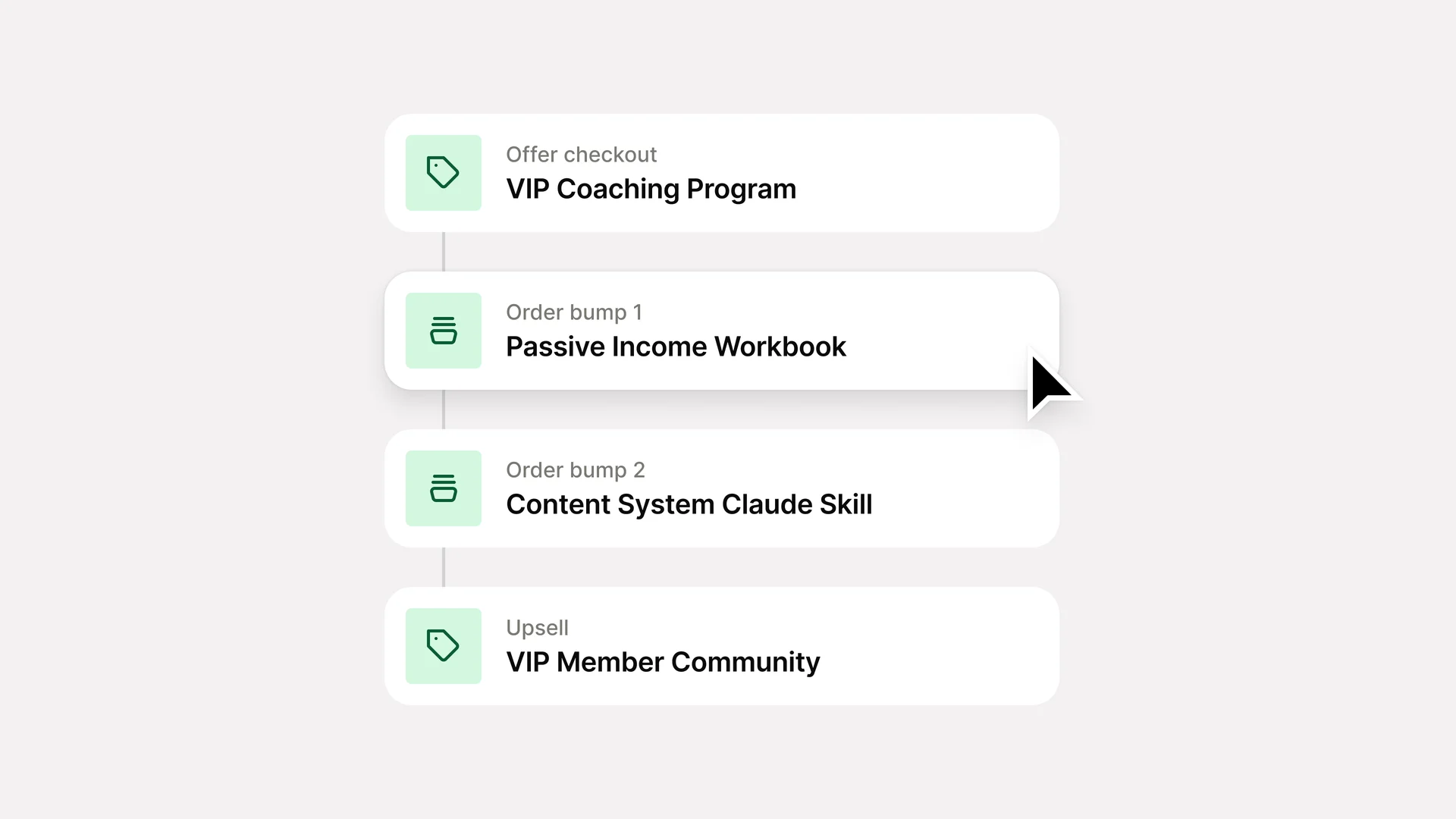
Walk your entire checkout flow before a real customer ever sees it. Test mode takes you through every step — offer checkout, order bumps, upsells, account setup, and a full breakdown of what would have triggered — without charging anyone or creating any records.
Offer Stats
The new Offer Stats page surfaces conversion rate, average order value, and add-on performance metrics in one unified dashboard, giving you immediate visibility into what's selling and where you're leaving money on the table — so you can optimize pricing, positioning, and offer mix with confidence.
Discounted Upsells
Add a discount to your upsells that's automatically applied at checkout, positioning the offer as an exclusive, limited-time deal for customers who just purchased — turning the post-purchase moment into another opportunity to drive conversions.
Orders
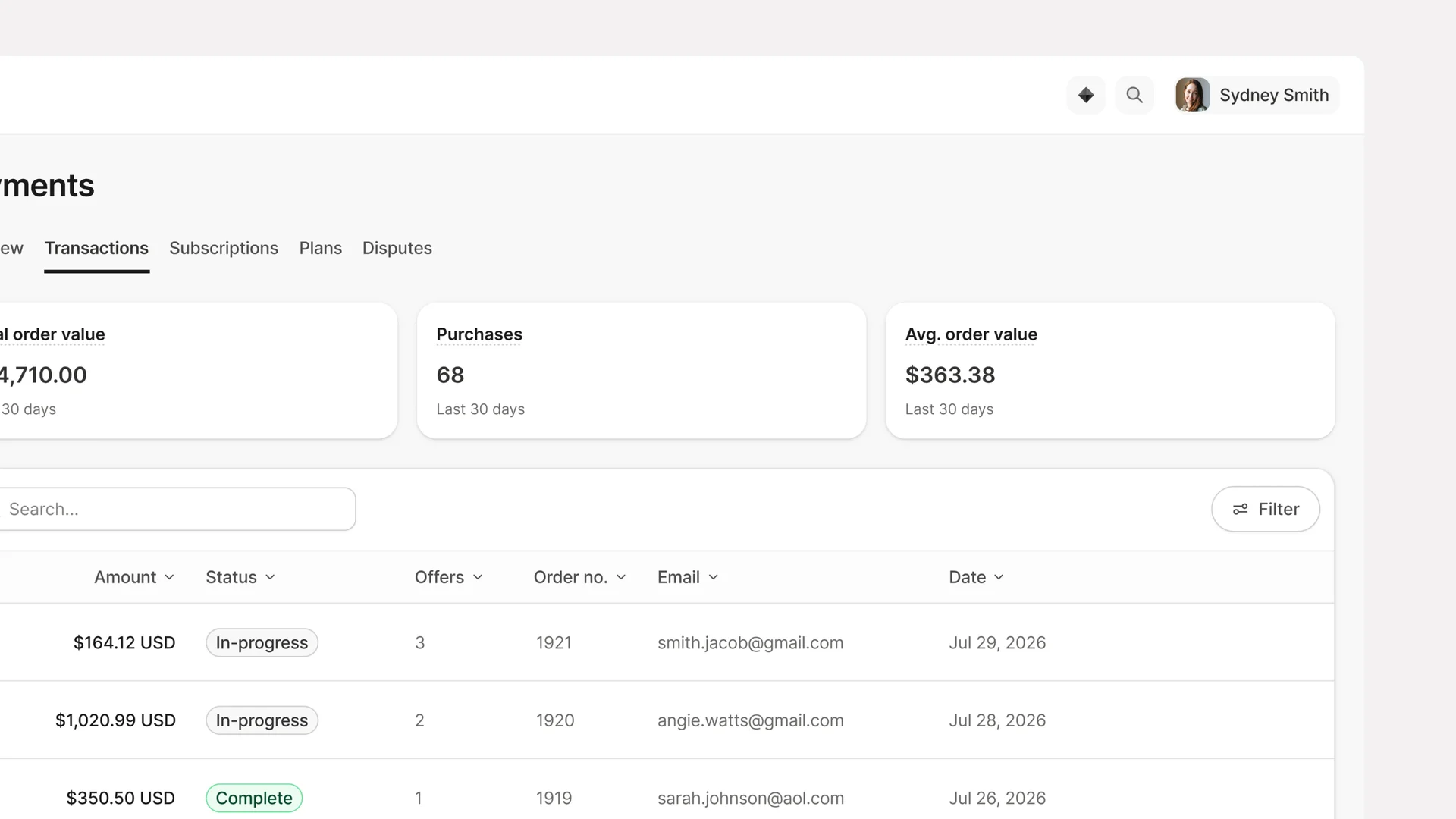
An Order groups everything purchased in a single checkout session — the primary offer, order bumps, upsells, and all charges — into one unified record. Get complete visibility into every customer purchase with an Order Detail page showing transaction history, billing status, and a full breakdown of what they bought. The new Orders page lets you see all checkout sessions at a glance, while the Orders Over Time report tracks volume trends, average items per order, and average order value.
Order Bump Mixed Pricing
Last cycle, we unlocked multiple one-time order bumps on a single checkout. This cycle, we're expanding that to any pricing type. Now add multiple order bumps of any mix: subscriptions, payment plans, one-time offers, or all three together. Create higher-value bundles, give customers payment flexibility, and stack recurring and one-time revenue in a single flow.
Early Payoffs for Payment Plans
Collect the remaining balance on a payment plan in one transaction, with the option to offer a discount as an incentive to pay it off early. It closes the plan cleanly and removes the need to handle any of it manually outside of Kajabi.
Member Cancellation Win-Back Discounts
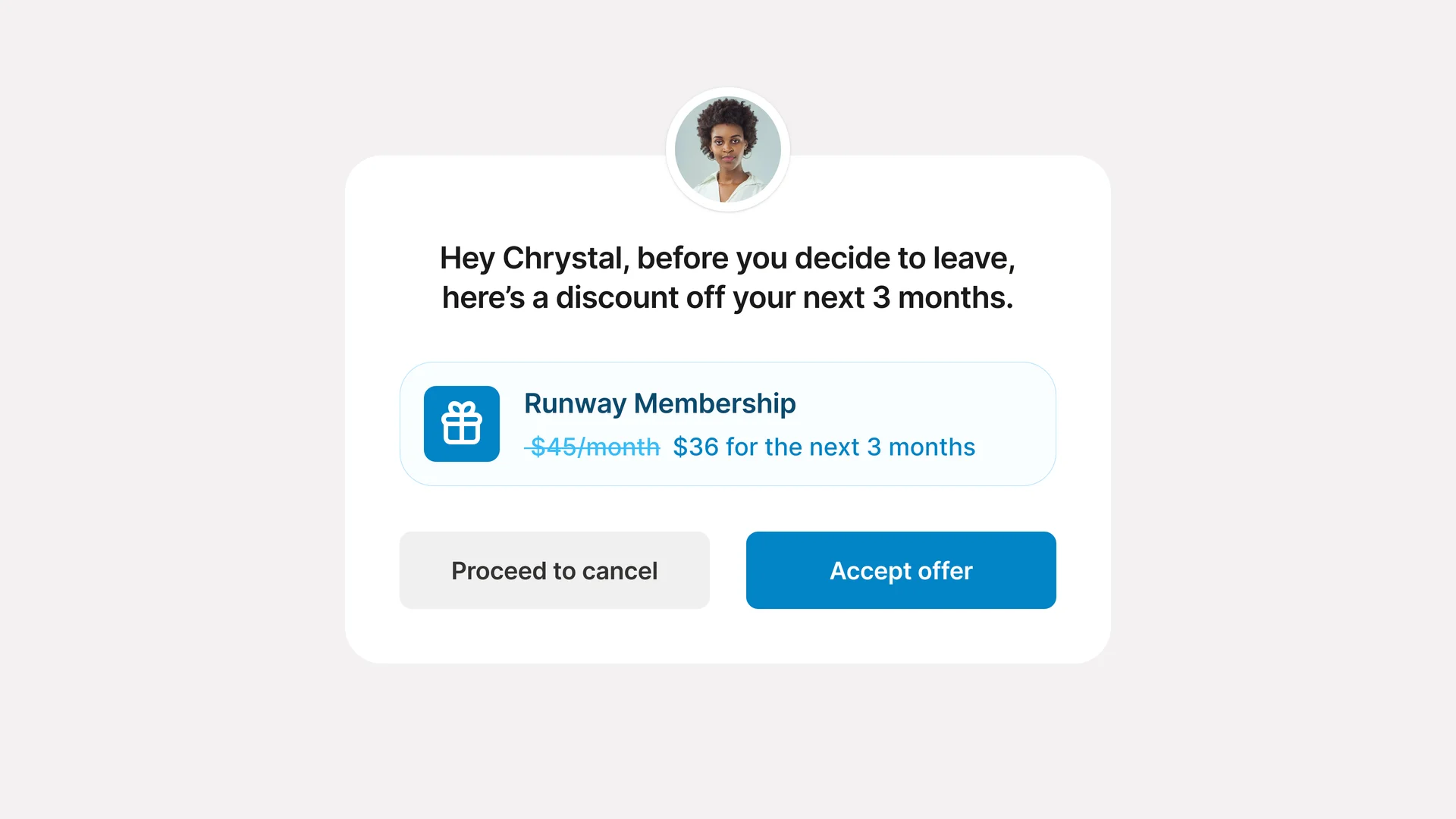
When a subscriber goes to cancel, meet them with an offer instead of a goodbye. Configure a discount that appears right at the moment of cancellation, and give customers a reason to stay before they walk out the door.
Member Self-Pause
Allow your members to pause their subscriptions directly from the member portal, reducing overhead on your team and giving members an alternative to cancellation.
Duration Pausing for Subscriptions and Payment Plans
Pause member subscriptions or payment plans with automatic resumption. Set a pause duration and Kajabi automatically resumes their subscription or payment plan on that date.
Kajabi Payments Balance Report
See your starting and ending Kajabi Payment balance at a glance.
Platform updates
Email Improvements
Your email data should tell you something you can trust. This cycle brings a more powerful email builder into your automation sequences, plus per-email reporting so you can see exactly how each message is performing with open rates, clicks, and delivered counts that actually add up.
Backstage: Member Experience Upgraded
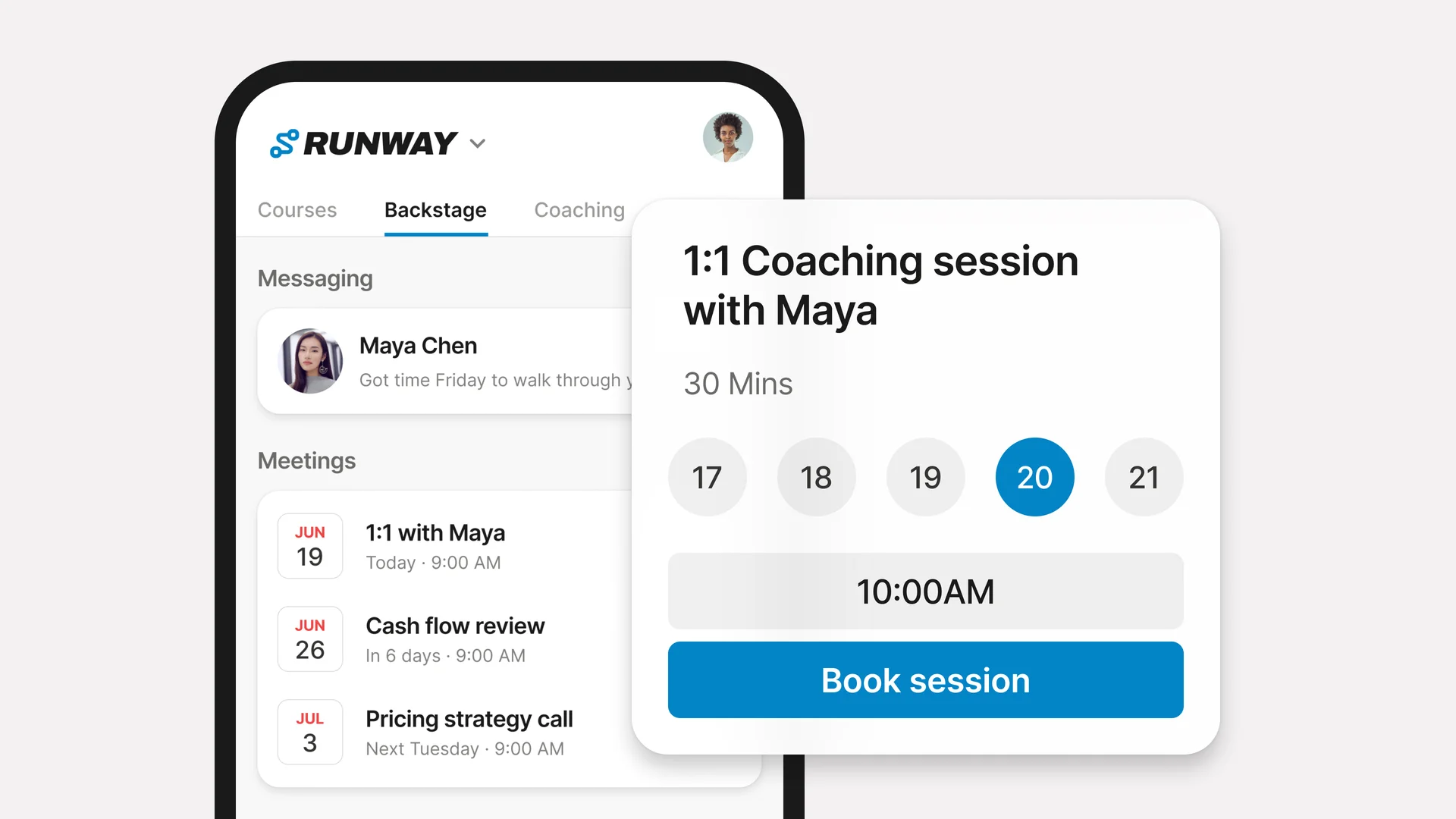
Members can access Backstage messages, meetings, tasks, and resources, directly from the Kajabi mobile app or your Branded Mobile App — plus turn on push notifications to stay connected.
Set your availability and create a meeting session to let your members schedule, reschedule, and cancel meetings.
Once a member no longer holds an active Backstage seat, they keep read-only access to resources and past messages so nothing gets lost.
Community Notification Reliability
A focused pass on making community notifications work the way they should. Meetup reminders, member notification preferences, and mobile push delivery are all getting fixed so the right people get the right notifications, every time.
Universal Inbox Has a New Home
Universal Inbox moved to the top right corner. You'll see an unread indicator so you never miss a message.
Amplify: Auto-Generated Profiles & Pairings
Your Amplify profile will be pre-generated from your existing Kajabi data, so you can join in one click to begin getting promoted by other Kajabi heroes to grow, or promote other heroes to earn revenue. You'll also be able to view AI-generated recommendations on the ideal heroes you can pair up with on the Amplify network to help each other grow.
AI
Expert Agents Now Available + Powerful New Features
The Teaching Assistant now offers fine-grain control over what knowledge feeds into it. Track agent performance with a new dashboard showing response ratings and insights. The Sales Agent captures leads mid-conversation with bot protection built in to keep conversations clean.
Add the Expert Agents add-on at the early adopter pricing of $49/mo per agent — locked for 12 months. $79 after September 30.
Cofounder Optimization
Cofounder is getting more capable across your site. Expect improved interactions with your landing pages, websites, and product themes, plus a new settings panel that gives you control over your AI nudges. Turn them on or off at the site level, for both in-app and email.
MCP for Media Library
Your AI tools are getting access to more of your business. Cofounder and connected AI can now reach into your Media Library, find the right image, and drop it onto your landing page without leaving the conversation. The agent hands you a direct link to upload it, then you drop right back into the chat and put it to work.